01
Write in the flow
Edit a rendered document with headings, lists and rich structure. Hybrid editing reveals source at the active block.
GPEditor in your terminal
Rendered Markdown. Local document editing. A place to write without leaving your terminal.
Install the CLIWatch a real editing sessionA full document editor. Markdown underneath.
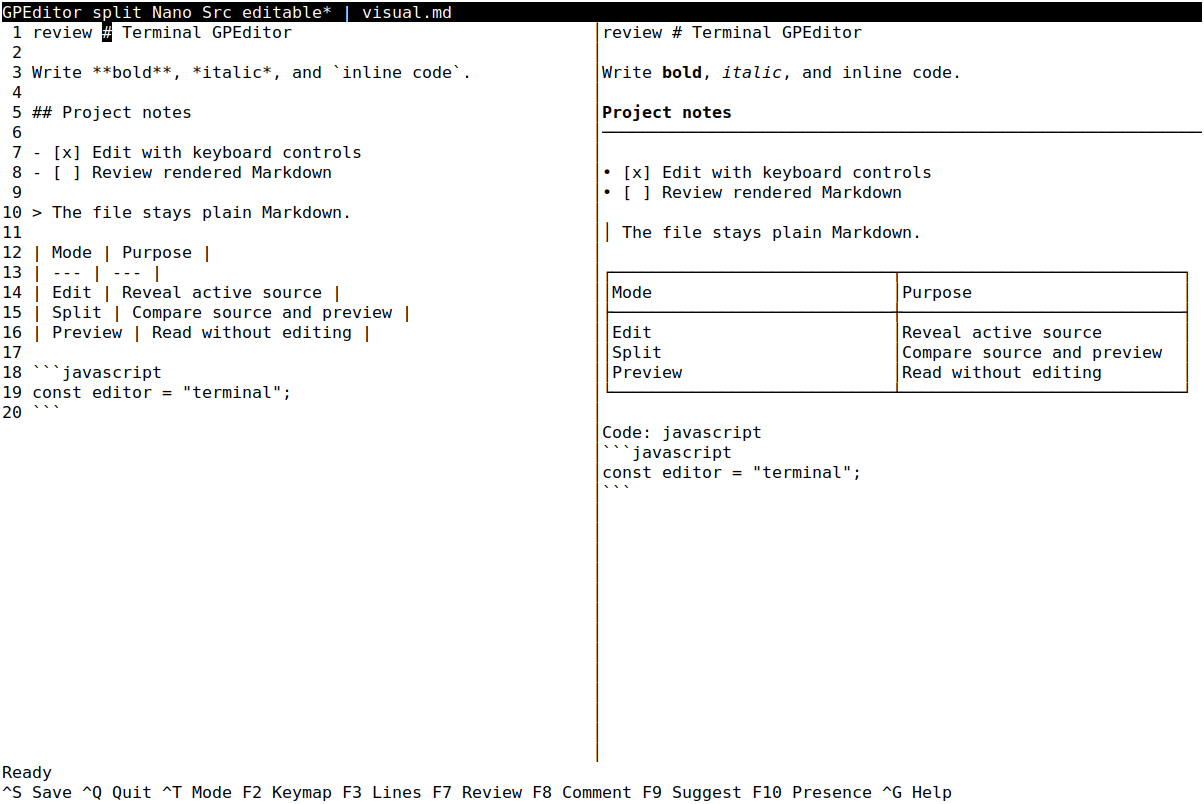
Actual Linux terminal capture · Split mode
Open full captureRendered capture selected.Native xterm capture from the terminal acceptance suite, source 86d73bea, reviewed September 29, 2026. This is a product screenshot, not a live session.
Capture sources and original asset hashesType, switch views, and save. Recorded from GPDoc CLI 1.30.0 on October 1, 2026. This is actual terminal output and timing, not a native desktop video or live connection. Idle pauses over two seconds are shortened in playback.
The text walkthrough and recording download are available below.
01
Edit a rendered document with headings, lists and rich structure. Hybrid editing reveals source at the active block.
02
Move between Edit, Split and Preview. Keep the same file and the same thought.
03
Your work stays in Markdown, ready for Git, another client or the next person.
Start writing
An interactive terminal and an existing Markdown file. Node.js 20+ on macOS/Linux. Windows TUI: Node 22.17+ (22.x), 24.2+ (24.x), or 25+.
npm install --global @gpdoc/cligpdoc open notes.mdReplace notes.md with your existing file path.
View the npm packageRead the full CLI guideControls, rendering and sharing behavior vary by client.